

Google Search Console increased the rollout of its biggest update in years this week and it is blowing my mind.
It makes filtering through mass amounts of keywords, as well as finding low-hanging fruit, purchase-intent wins so much easier.
The update is native generative AI built into Search Console, which allows you to ask questions in natural language about your Google search data.
I’m going to share my favorite things to do with it so far.
What is Google Search Console
If you don’t know, Google Search Console is Google’s own tool for seeing how your site shows in Google Search.
You can request Google to include pages of yours in its index. You can see what you show on Google for, what pages show for what searches. You can tell Google to remove pages.
For anybody who wants to do SEO, Google Search Console is the first place you should start:
- Connect your site to it using a Domain Property.
- Submit your sitemaps to it.
- Request it to index a few pages using the top bar.
- Look at what you’re ranking for.
If you’re unfamiliar with Google Search Console, those are some good first things to do.

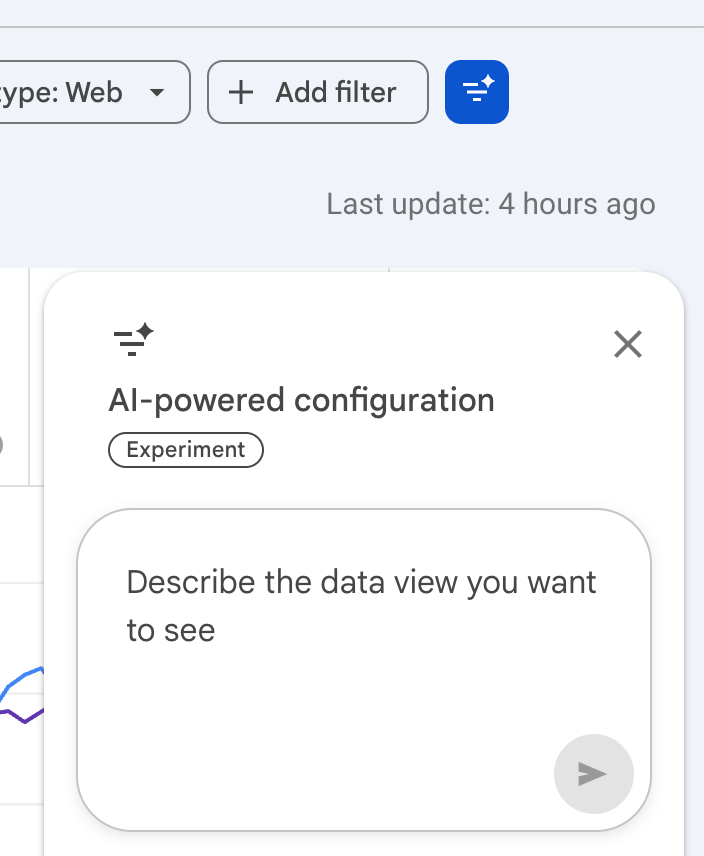
Customize your Performance report using AI
To use the new AI tool, go to:
- “Performance” on the left sidebar or “Full report” on the right above your graph.
- Click the blue AI filter button in the top right.
My favorite query-based prompts
A query in Google Search Console is just another word for a search somebody does in Google.
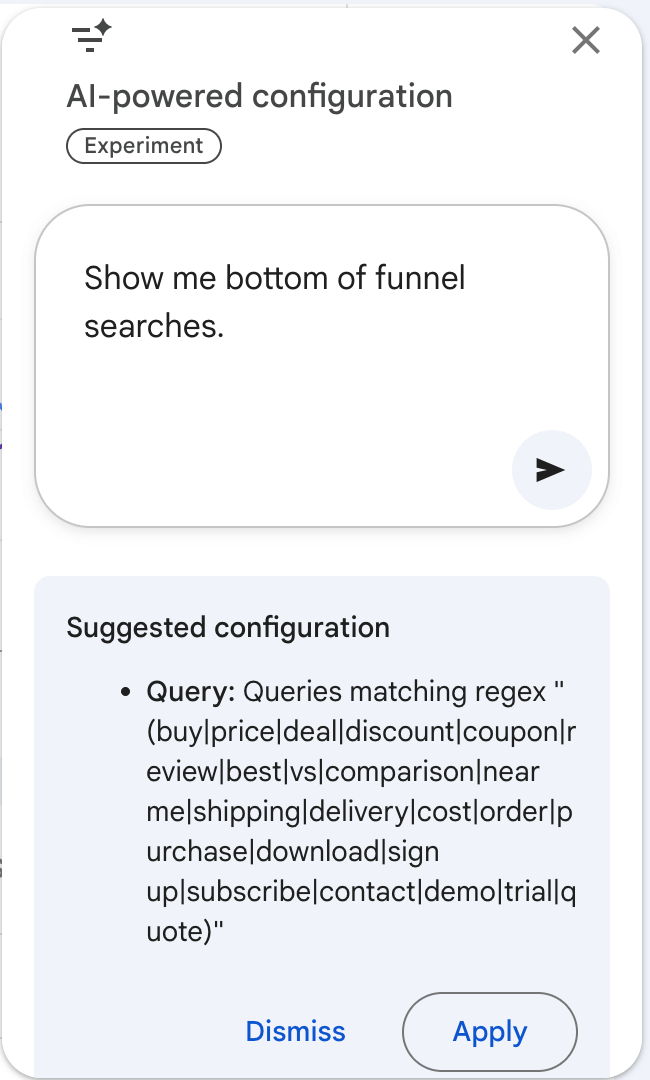
Let’s say you want to see the searches you show for in Google that have intent to BUY. Let’s go!
Use this prompt:
“Show me bottom of funnel searches.”
What if you’re a local business or have some part of your business that is local?
“Show me queries with local intent like near me, nearby, closest, open now, local services, etc.”
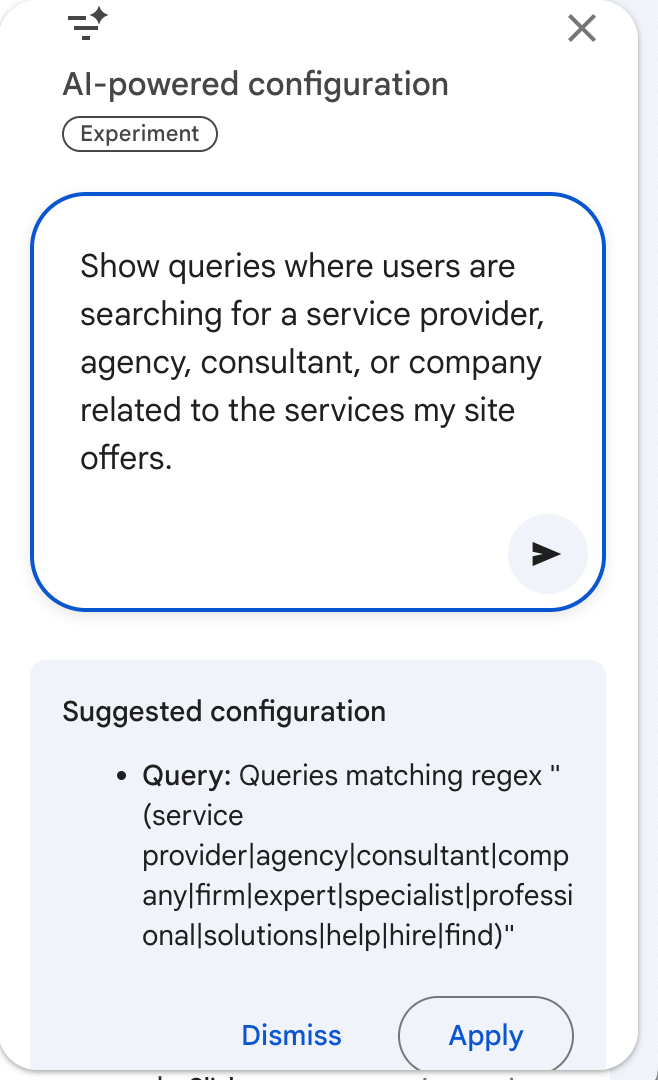
What if you perform services for other companies and you want to see the service-based searches you show in Google for?
“Show queries where users are searching for a service provider, agency, consultant, or company related to the services my site offers.”
What if you want to see all the searches that contain your brand name?
“Show me my branded searches.”
If you have multiple brands on your site:
“Show me my branded searches. My brands are: [write your brands]”
How about searches where people are evaluating you against competitors?
“Show me comparison and evaluation queries including vs, versus, alternative, comparison, review, best.”
What if you want to find your fastest-growing searches:
“Which queries had the biggest increase in impressions over the last 3 months compared to the previous period?”
What to do with this query data
Pick one of your new AI filters, like “Show me bottom of funnel searches.”
- Toggle on “Average position” and “Average CTR.”
- Go to “Filter rows” above your query data.
- Filter Position for “Greater than” 3.
- Sort by the Position column.
- Turn “Rows per page” (in the bottom) to 500.
Queries you’re looking for:
High impressions + position 3-20 + low CTR + strong relevance.
- High impressions = more demand
- Positions 3-20 = you’re already ranking for these searches, so a little nudge can take you a lot higher
- Low CTR = easy opportunities to make page more relevant to get more clicks
- Strong relevance = relevant to your business
Now find ways to better optimize your existing content for these searches that you are already ranking for.
Click on a search. Google Search Console will show you your pages that are showing on Google for this search. Pick your top page.
Do one or more of these tasks:
- Add the search term high up on your page
- Write a new section for it
- Add it to existing sections
- Improve your top heading
- Improve a subheading
- Put the term in your page title
If there’s a search term you’re ranking for, but you have no relevant pages for it, create a new page for the search term and include the search term:
- At the beginning of your page title
- In your H1 heading
- In the first sentence of your newly created page
- In the URL slug of your newly created page
- In your meta description
That will create a highly optimized page for this search term you are already showing on Google for.
Low-hanging fruit win.
Monitor performance
This new AI performance report also lets you use prompts to see how your site is doing. So you can make the above changes and ask the Google Search Console AI if what you did is working.
Let’s say you offer services and you put them in a /services/ subfolder:
“What is my /services/ pages’ CTR last week compared to the previous period?”
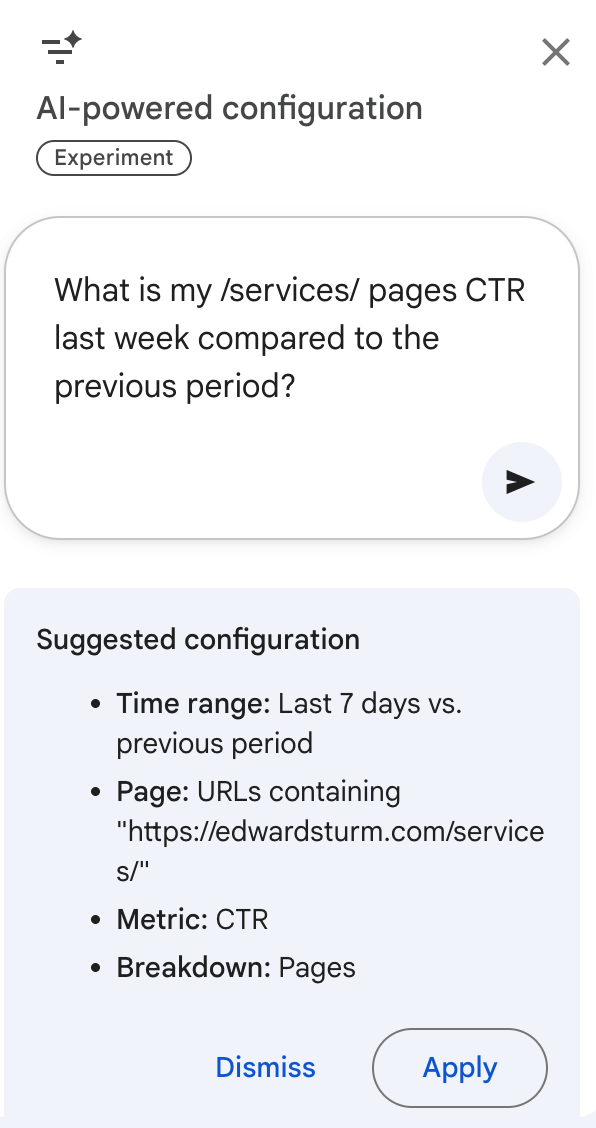
By the way, this is yet another reason you should use subfolders in your URLs instead of putting every URL slug right off the root domain.
Another good one:
“What are my /blog/ clicks and average position compared to last month?”
To identify SEO content problems before they get out of control:
“Which pages had the biggest drop in clicks compared to last month?”
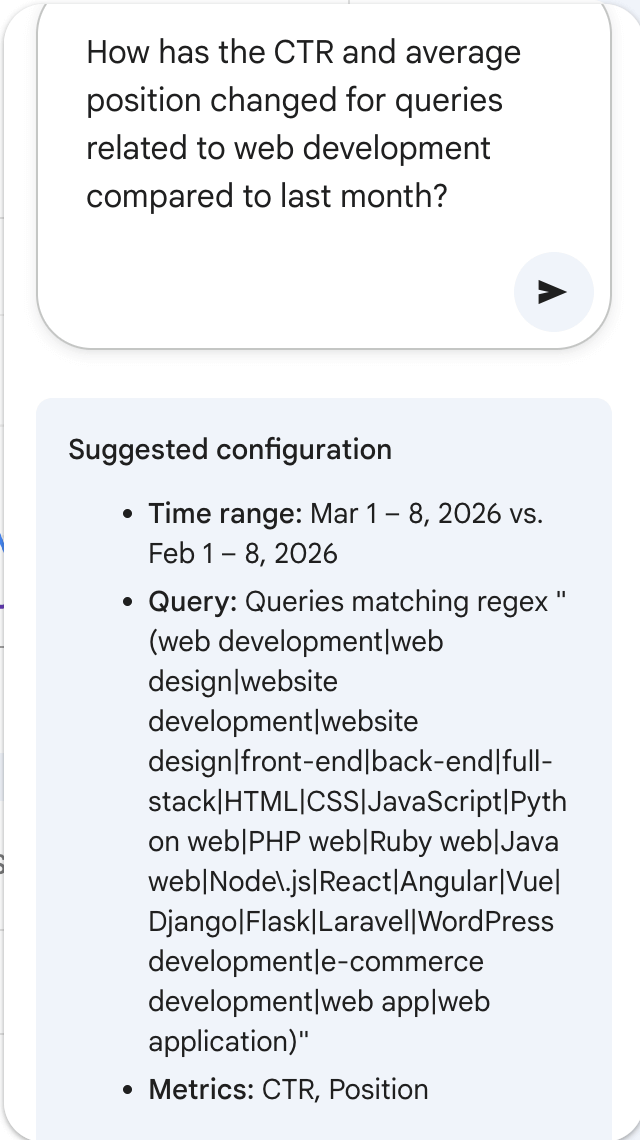
To see if your topical authority is increasing or decreasing:
“How has the CTR and average position changed for queries related to [topic/page] compared to last month?”
Throughout history, the greatest minds have paid a premium for the freshest, most highly-filtered data.
Most of your competitors don’t know about this yet.
This update allows you to find incredibly easy SEO wins, see weaknesses before they spiral, and see what is working and what is not.
I hope you’ll try this.
Get my full SEO playbook
I spent a year making a course that shows how to do SEO that gets paying customers, users, and warm leads without running expensive ads to target the most qualified people.
And, I update it weekly – I added an update just a few days ago.
Most people don’t realize you can use SEO insights to find ICPs you didn’t even know about nor do they realize targeting these people is actually easy because most of their searches go overlooked and are therefore noncompetitive.
People are using the lessons in my course, Compact Keywords, to:
- Get customers
- Save money with SEO
- Train employees in SEO
- Make videos get more views
- Increase social media discovery by using the right language
- Save time doing SEO (not wasting time on SEO that doesn’t drive results)
- Steal competitors’ keywords
- Rank for competitors’ brand names
- Have Reddit posts about their brand show on Google
- Get LLMs to recommend their brand
- Become a trusted company in their niche
- And so much more
Join the many who are doing these things with SEO at https://edwardsturm.com/compact-keywords/